Hyper Realistic Ragdoll Maps: Every Known Environment
Explore every known Hyper Realistic Ragdoll map: the official multi-environment promise, reported arenas and what the community says about each layout.
Hyper Realistic Ragdoll officially ships with multiple map environments, and each one changes how your dummy experiments look and feel. The developer's description promises different scenes to explore, while an official map list with names has not been published, so community reports fill in the details. This guide collects everything known about the game's maps and explains how to use each environment for better experiments.
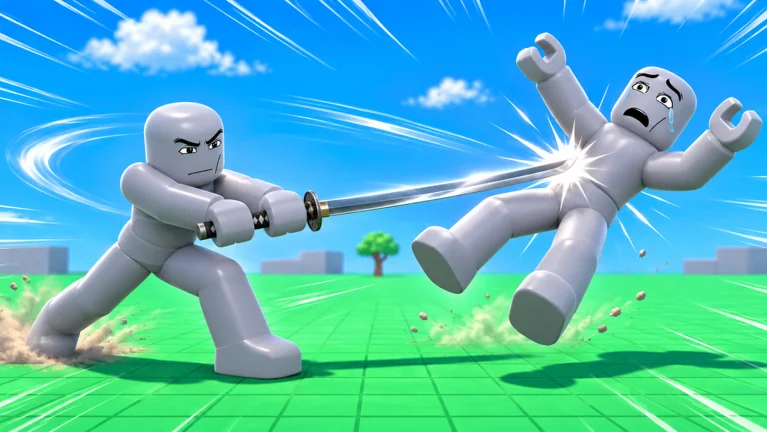
What the Official Description Confirms
The developer's official game description advertises multiple map environments as a core feature of the game. That confirms map variety is intentional, not an accident of updates. However, no official documentation names the maps or counts them, so any specific scene names you see online are community reports pending confirmation. Treat this page as the summary of what is verified versus what players report.
Community-Reported Scenes
Community reports mention a city-style sandbox and other open scenes as the main playgrounds, though the exact map names are pending confirmation. Players also describe areas designed for drops, vehicle runs and event chaos rather than strict themed zones. Because the game is a physics sandbox, maps are less about themed content and more about layout: open space for big crashes, structures for interesting collisions and height for falls. As the game receives updates — the most recent on 2026-11-15 — the map lineup may change.
How Maps Change Experiments
Different environments produce different physics results even with the same dummy and the same drop. A flat open area gives you clean cause-and-effect scans, which is why it is the best place for fall-height tests. Cluttered scenes create secondary collisions, where a dummy bounces off objects and accumulates multiple injuries. Elevated structures offer reliable high falls, which are the easiest way to trigger the broken bones the game is known for.
Choosing a Map for Each Experiment
For body scan experiments, pick an open area so the only variable is the fall or impact itself. For vehicle tests, look for long flat runs where the car, monster truck or battle tank can reach speed before hitting a target. For disaster events such as tornadoes and meteor rain, choose a dense area with lots of dummies, because events affect the whole scene at once. Our events guide explains the reported disasters and how to trigger them.
Getting Around and Resetting
Navigation is standard Roblox movement: walk with WASD, jump with Space and look with the mouse, with community reports adding a G key that teleports you back to spawn. When a map becomes littered with bodies and debris, teleporting home is the fastest way to start a clean experiment. If you cannot reach a dummy wedged in geometry, return to spawn and try a different approach. There is no fast travel between maps reported so far, so exploration happens on foot.
Maps and Performance
Physics sandboxes live or die by frame rate, and map choice affects performance more than any setting. Dense scenes with many dummies, heavy events and big vehicle piles can drop your frame rate on weaker devices, especially mobile. If the game stutters, move to a cleaner area, revive scattered dummies to reduce active bodies, or lower Roblox graphics quality. The game supports desktop, console, mobile, tablet and VR, and lighter maps are the easiest performance win on every platform.
What We Still Need to Confirm
An official map list, map names and the exact number of environments are all pending confirmation. Community reports also suggest map rotations or updates may add scenes over time, which fits the developer's update pace since launch. When official sources publish map details, this guide will be updated with verified names and layouts. Until then, the safest summary is: multiple environments exist, layouts vary, and scene names are unconfirmed.
Tips for Exploring Safely
Save before-style caution for vehicle and event experiments, because flying debris can trap your character under piles of objects. Keep one eye on where you drop bodies, since dummies wedged in geometry cannot always be revived. Use height only from stable structures, not moving objects, for repeatable fall tests. And scan every crash result with the Body Scan, because injuries are only visible through the scan overlay.
Maps Compared to Other Ragdoll Games
Unlike goal-driven ragdoll games, Hyper Realistic Ragdoll uses its maps purely as physics stages. There are no checkpoints, objectives or map-specific rewards reported, which keeps the focus on crashes and experiments. That design makes map knowledge less about progression and more about picking the right stage for your next test. If you enjoy open physics playgrounds, the map design here will feel immediately familiar.
Where to Go Next
Run your first map experiments with the beginner guide, then measure the damage with the Body Scan guide. Vehicle fans should read the vehicles overview, and chaos fans the events page. The controls guide covers every known key so you never fumble a binding mid-experiment.